
STEP 2 - ADD A PICTURE OF YOUR PARTY ROOM
On the home page scroll down to the section that says “Birthday Parties.” Make sure the visual builder is still on, and again click on the gear in the gray box at the center top of the picture:
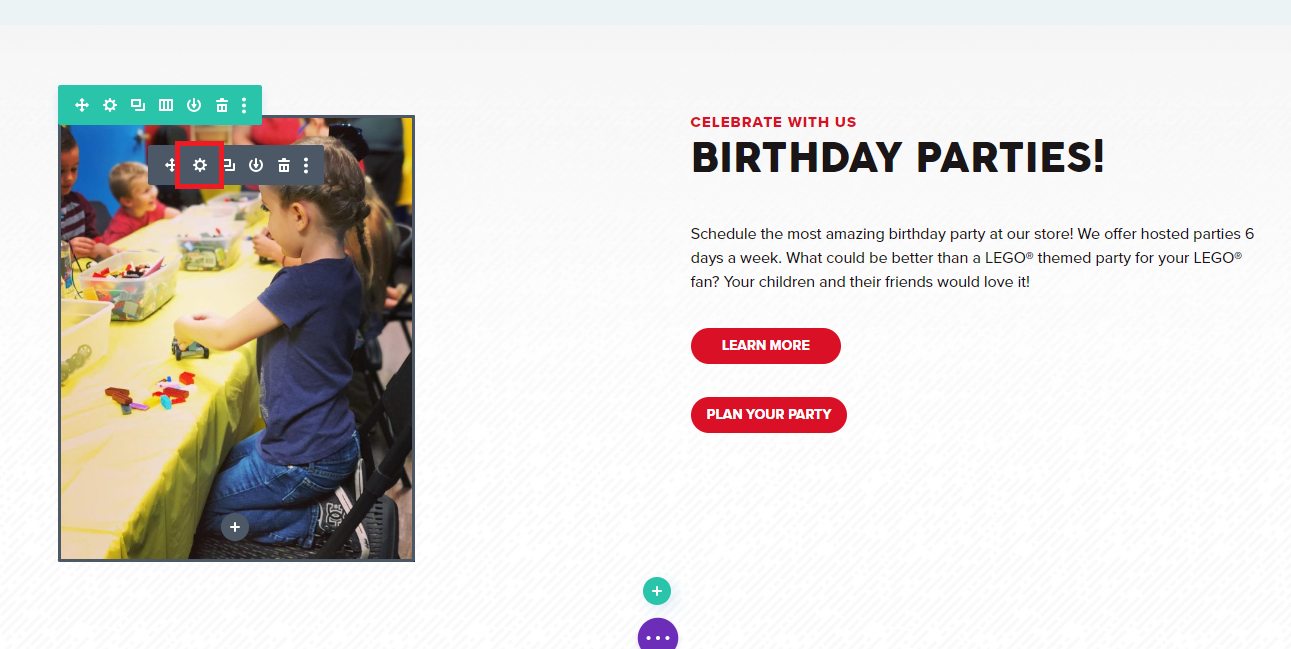
Again, a pop-up box shows up and you can click on the image that shows up in the box.
Doing that opens up your media library, where you can upload any image you want. In this particular place, you want something from a birthday party or a picture of your party room.
The more personal to your store your website is, especially the images, the less it will feel like a “cookie cutter” website, improving user experience.